Survival intelligence that stays with you.

Aurora is an AI survival assistant powered by a large language model that runs entirely on your iPhone or iPad. Ask in plain words and it answers from a reviewed field manual, with offline maps and species identification beside it—ready when the network isn’t.

Contact Aurora Coming to the App Store

Aurora is built for the hours after the signal drops. A reviewed field manual, signed offline maps, species identification, and a language model live on the device you already carry, so your questions and photos never have to leave it.

Physical build

The real app.
On the real device.

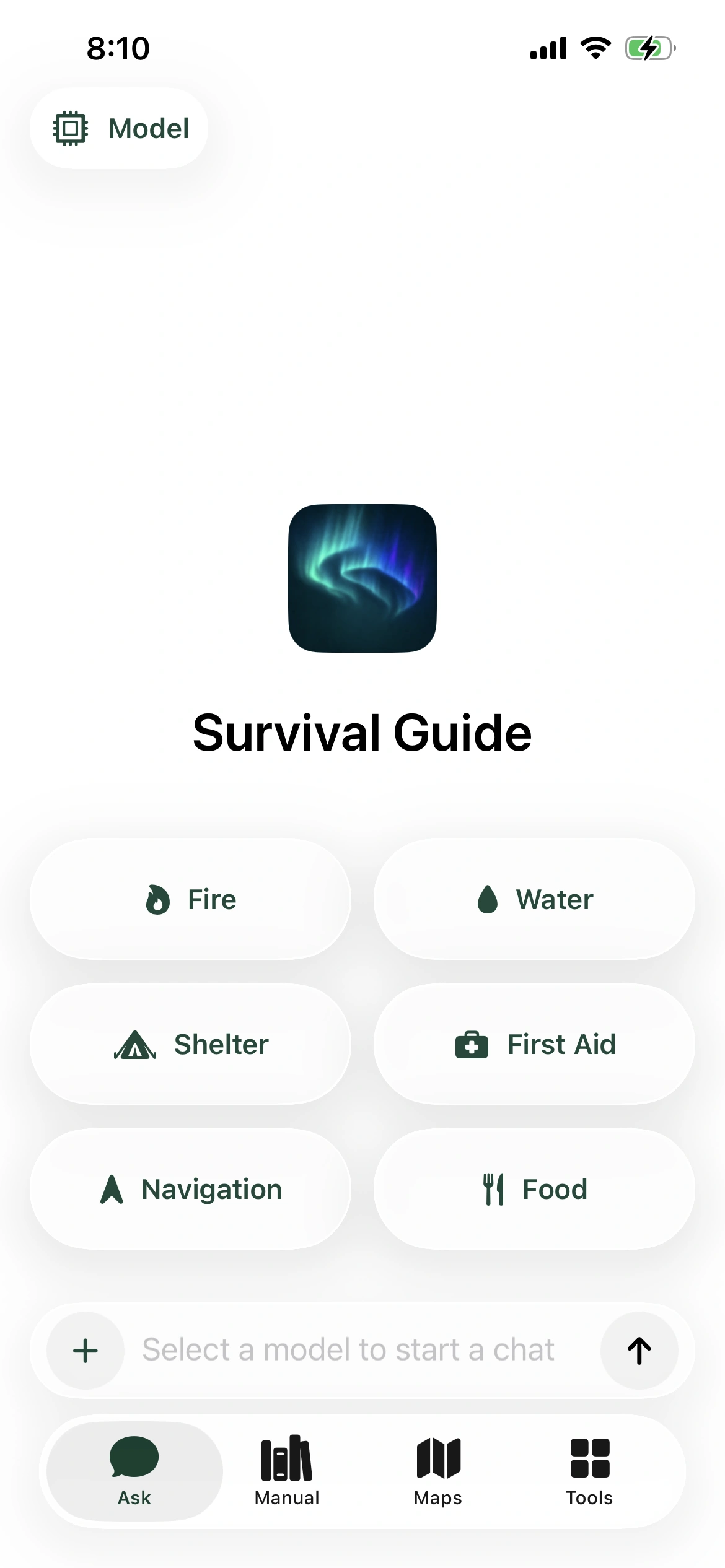
Captured directly from Aurora 1.1.0 running on iPhone 13. No concept interface, cloud session, or staged dashboard.

Device
iPhone 13
Mode
Offline-ready
Surface
Ask home
Aurora Survival running on an iPhone 13, showing the Ask home with fire, water, shelter, first aid, navigation, and food categories
Native-resolution capture from the physical iPhone build.

Field kit

Four tools. No signal required.

Prepare models and map packages while you are connected. After that, Ask, Manual, Maps, and Species ID run on the phone.

Ask

An on-device language model.

Ask in plain words. A local model answers on the phone and links up to two exact Manual passages, so you can read the source yourself.

  • Runs locally
  • Exact Manual links
  • Set up once in Tools

No model installed? Ask shows setup instead of guessing.

  1. Your question
  2. Manual search finds the best passages
  3. One local model call
  4. Answer with exact Manual links

Manual

A reviewed field manual.

Short lessons with numbered steps and plain warnings. Every passage carries primary-source metadata and opens at the exact spot an answer cites.

  • Primary-source metadata
  • Exact passage links
  • Readable offline
  1. Survival Basics
  2. Find and Treat Water
  3. Start a Fire
  4. Build a Shelter
  5. Find Food Safely
  6. Navigate When Lost
  7. Signal for Rescue
  8. Wilderness First Aid
  9. Weather and Wildlife
  10. Car Breakdown

Maps

Signed offline maps.

Download map packages while you still have a connection. Each package is verified and signed before it activates, then works with no signal at all.

  • Ed25519 signatures
  • SHA-256 checks
  • Atomic activation

Downloads happen only in explicit Preparation mode.

Open-source species intelligence

Identify what’s around you. Keep the photo local.

Aurora’s separate species scanner runs BioCLIP-2 on the device through Core ML, prepared for offline field use. Photos are never sent off the phone.

  • Core ML on device
  • Optional signed download
  • Open source

Results are likely matches, not certainty, and never permission to approach, handle, or eat wildlife.

Explore the BioCLIP repository

Founder

Built for the moments infrastructure can’t reach.

Aurora Survival is a founder-led field product built around privacy, evidence, and offline reliability. It is an educational aid—not a replacement for emergency services, certified first-aid training, or professional judgment.

Contact Aurora

The useful details.

Does Aurora work without a connection?

Yes. Once the selected model and map packages are prepared, Aurora’s guidance, Manual, maps, and species scanner run locally.

How is Aurora’s content verified?

Manual content carries source metadata and exact passage links, map packages are signed before activation, and the current build was validated on a physical iPhone 13.

Which devices are supported?

Aurora is being built for iPhone and iPad.

Can I download it now?

Not yet. Aurora Survival is coming to the App Store. Contact Aurora for product and partnership conversations.